Adding Headers and Footers to reports is easy. Once you click on Print, the Print Preview window is displayed:
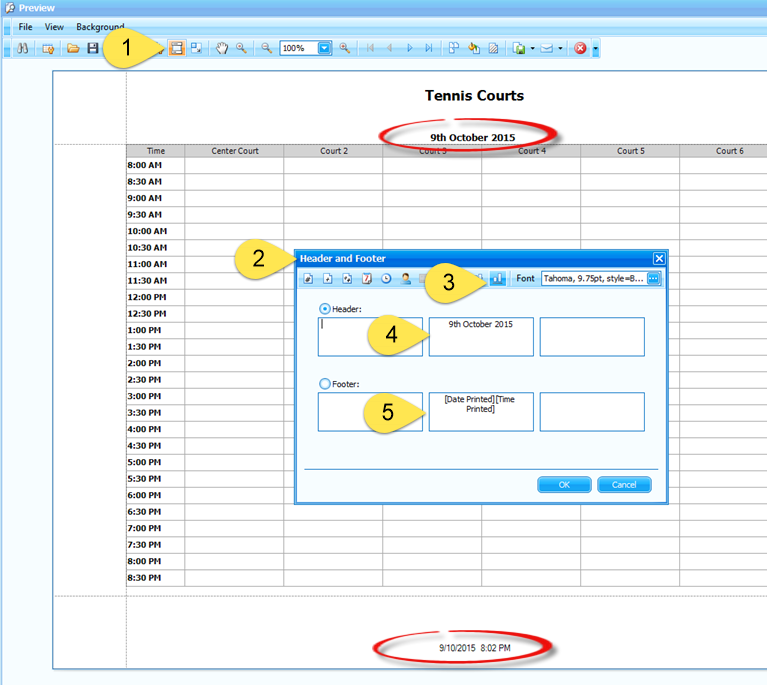
Step 1:
Click on the Headers and Footers icon.
Step 2:
The Headers and Footers window is displayed.
Step 3:
Align the specific text area. In this case we have aligned the header to the bottom so that it appears below the pre-configured report header.
Step 4:
Insert the text you want either in the left, centre or right hand area boxes.
Step 5:
Clicking on one of the available icons will enter the appropriate text.
Click OK and the Headers and Footers will be added to your report.
Article ID: 44, Created: 10/9/2015 at 2:21 AM, Modified: 7/6/2018 at 11:07 PM